Mobile

Responsive Web

Voice of Customer

Adding context to in-app chat messages

Adding context to in-app chat messages

I started this project with a PM to conceptualize what contextual chat may look like for our app. After hearing concerns from our users that might result in a loss of a contract, this project got escalated. I collaborated with another product designer for this project and I designed a central chat on our responsive web app that allows agents to view their chat from anywhere on our app.

I started this project with a PM to conceptualize what contextual chat may look like for our app. After hearing concerns from our users that might result in a loss of a contract, this project got escalated. I collaborated with another product designer for this project and I designed a central chat on our responsive web app that allows agents to view their chat from anywhere on our app.

Don't have time? Here's a summary

Don't have time? Here's a summary

This was a must-have feature for Vancouver Real Estate. Majority of their workflow happens in chat and they need to know what property people are inquiring about.

This was a must-have feature for Vancouver Real Estate. Majority of their workflow happens in chat and they need to know what property people are inquiring about.

Timeline

Sept 2025 - Dec 2025

Team

2 Designers, 2 Software Engineers, 2 Product Managers

Problem

When an agent sends a message, it almost always has a property tied to it. We are not showing these details in our chat and it is wasting a lot of time for the agents to figure out which property is being asked about.

Constraints

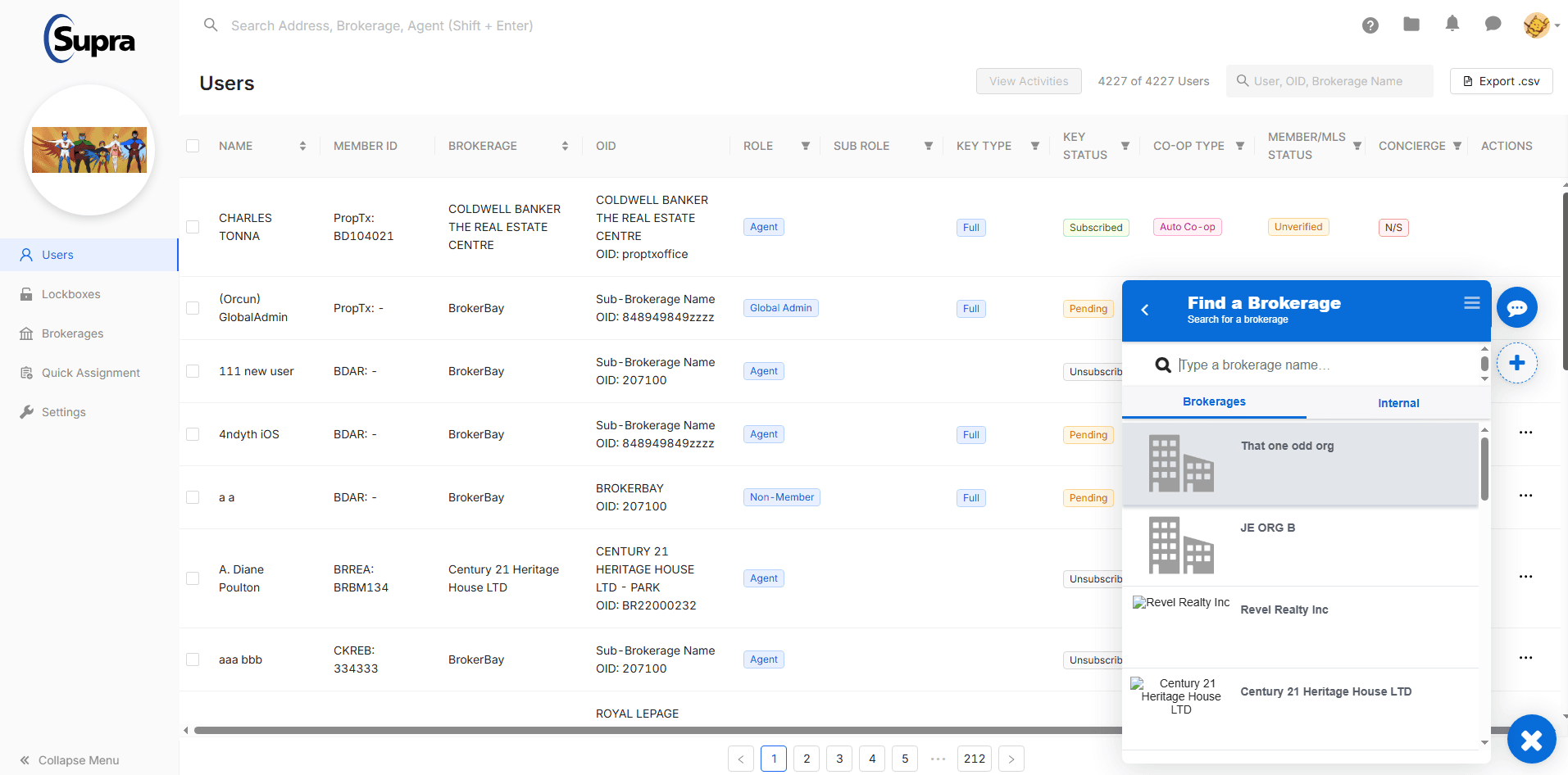
Our in-app chat was not great to use. If we were to create an in-house solution, we will not meet Vancouver's deadline. While we explored an in-house solution with our engineers, we ended up using a third-party program which had all the features we designed.

Solution

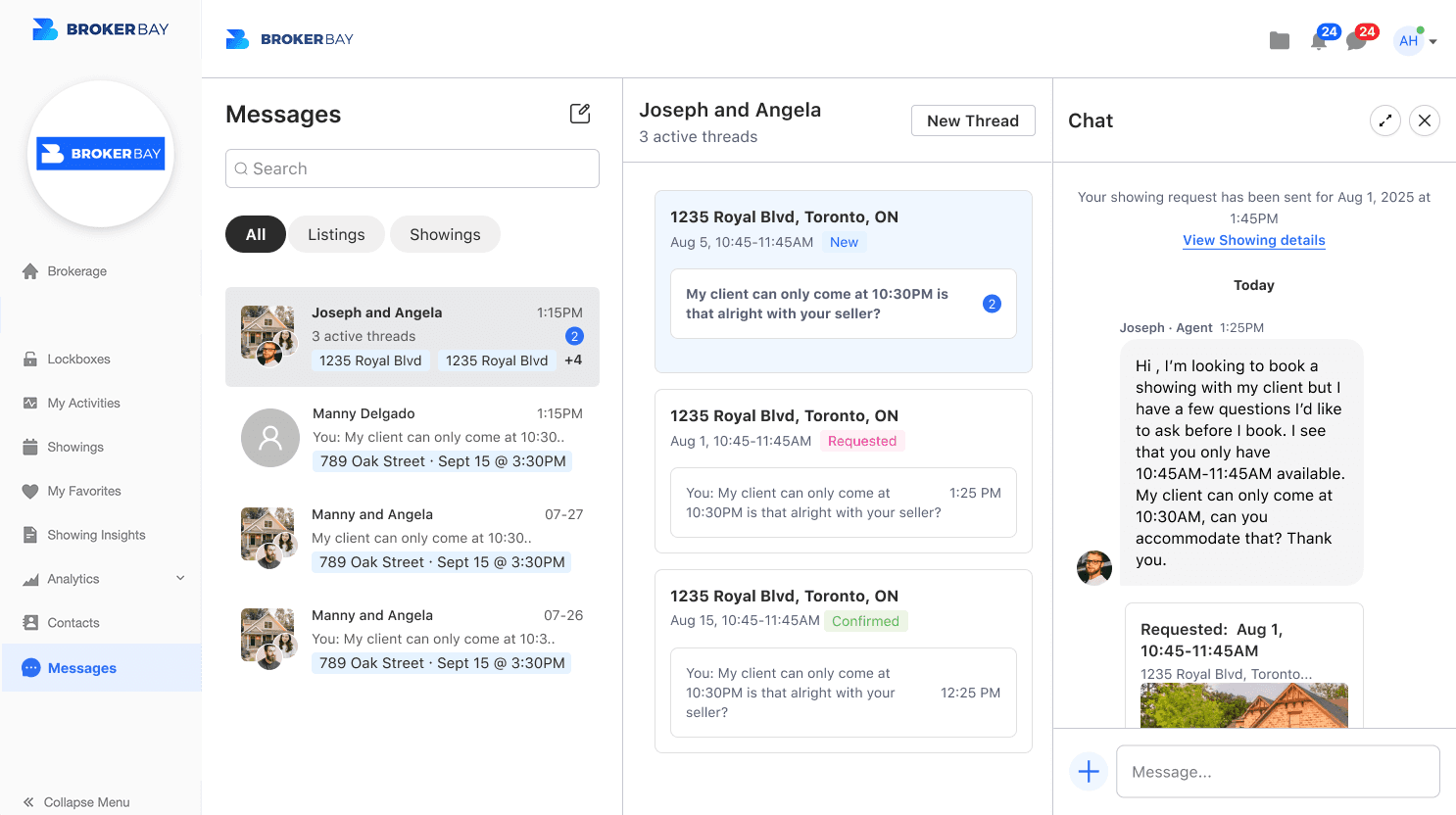
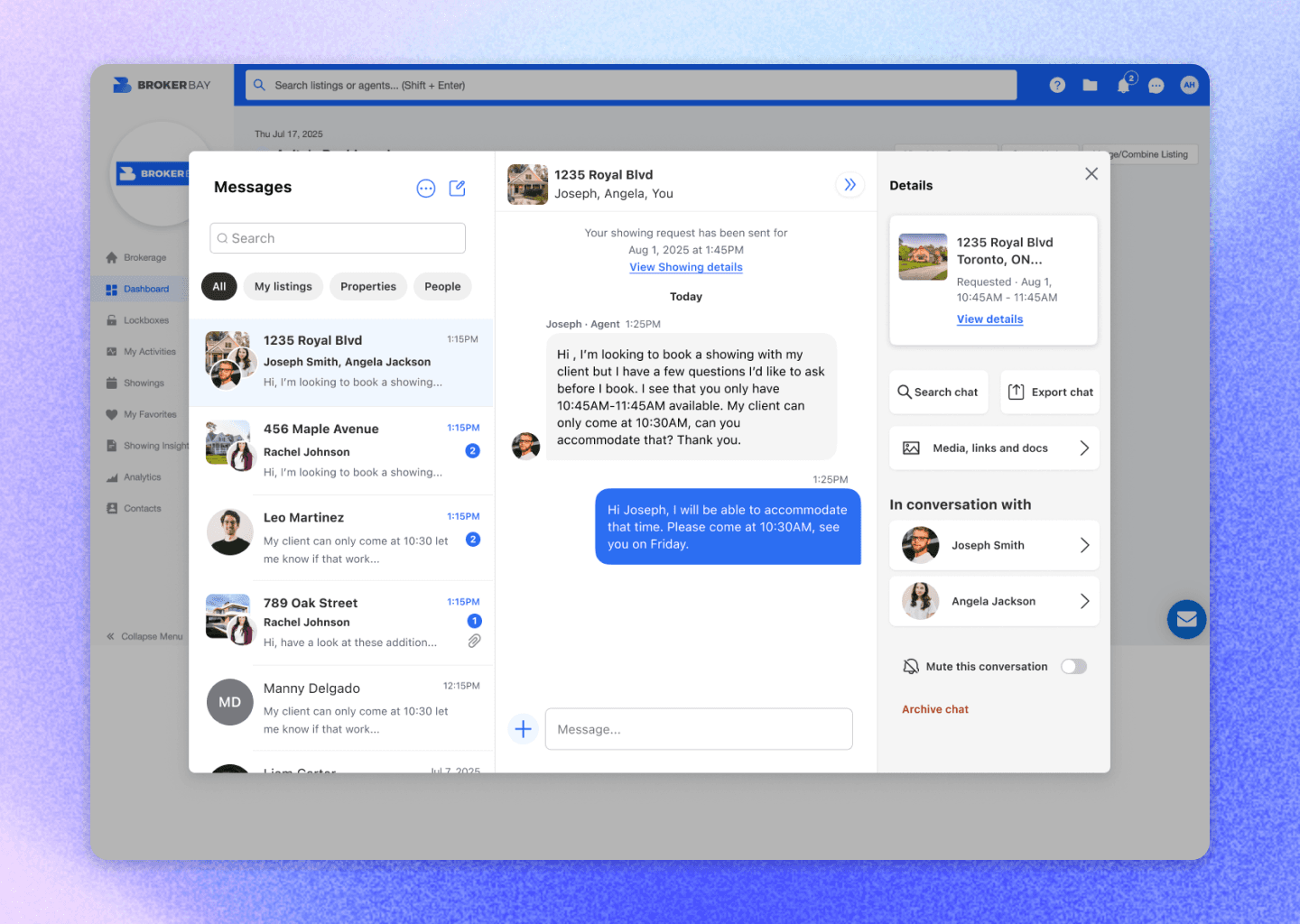
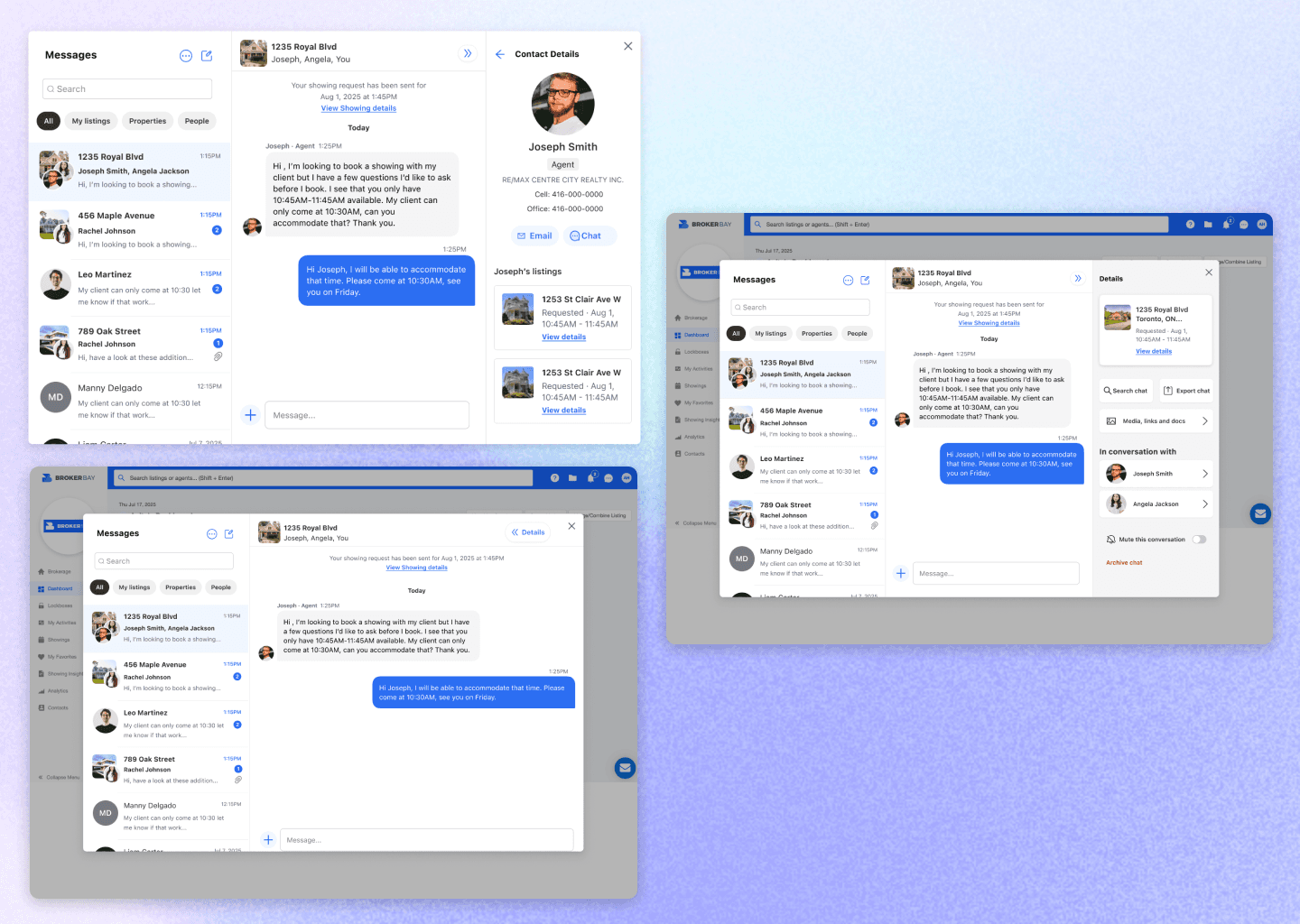
Instead of displaying names as the message header, we are now showing the listing address as the main header with the names below it. Listing details is also easily accessible in the message details. Since there is more real estate on web, I designed the message details to always be open (with the option to collapse it of course) so that all the important details regarding the listing and booking is out in the open.

Impact

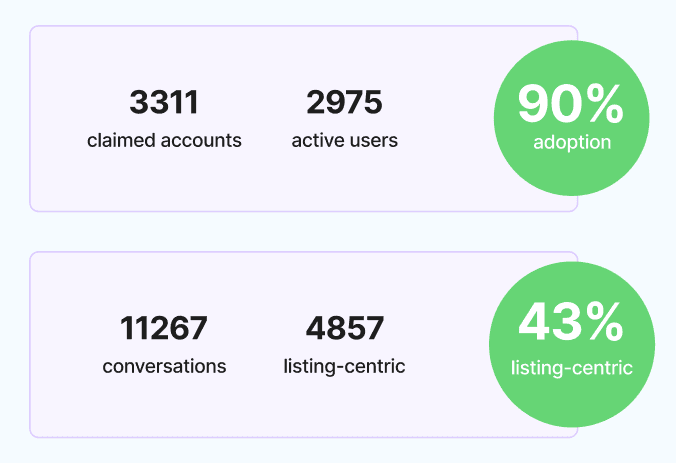
From being on the brink of losing a customer to 78% overall satisfaction, this was a huge team win. We always track adoption rate since this is our north star metric, and it currently sits at 80%. We also got an opportunity to really work with our clients to come up with a solution together and this was a start to building a great working relationship with Vancouver and also establishing our internal Voice of Customer process.
Design Process

Chat needed some love

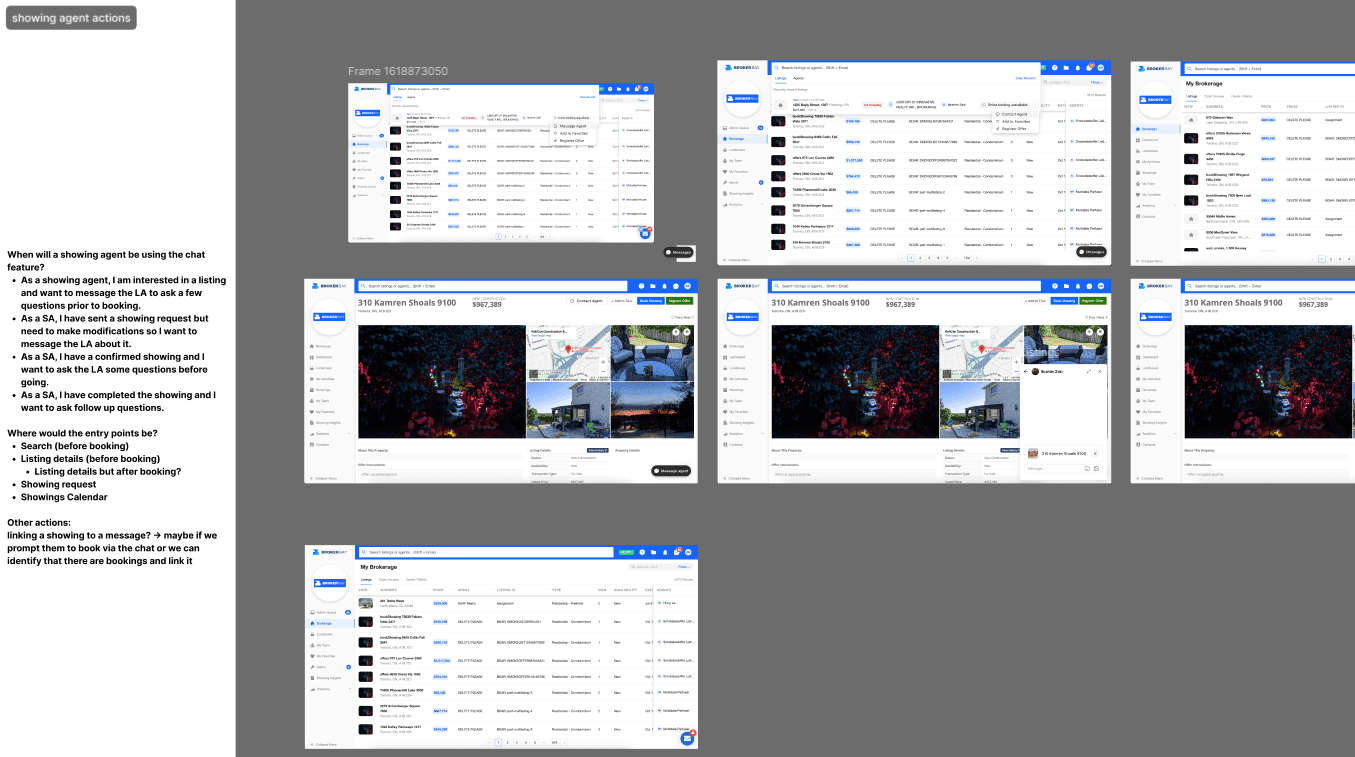
This feature was not utilized but there was so much potential. I started off by reimagining what chat could look like if we added listings, agents, and even the ability to accept and decline showings in the chat. My thought process was, the entire workflow can exist in 1 chat.

Customer Escalation

Originally this was going to be a multi-phase project with incremental upgrades. Due to Vancouver's urgency for this feature, we needed to adjust our strategy and roadmap.
Design Process

Chat needed some love

This feature was not utilized but there was so much potential. I started off by reimagining what chat could look like if we added listings, agents, and even the ability to accept and decline showings in the chat. My thought process was, the entire workflow can exist in 1 chat.

Design Process

Chat needed some love

This feature was not utilized but there was so much potential. I started off by reimagining what chat could look like if we added listings, agents, and even the ability to accept and decline showings in the chat. My thought process was, the entire workflow can exist in 1 chat.

Using the Voice of Customer to drive our decisions

We had multiple calls with Vancouver to understand their day to day workflow with chat. Conveniently, we had my concept mock ups to use as a visual guide for the conversation. We discovered that they needed to know the listing in question, who is reaching out, and when the booking details are. This is the bare minimum required for chat to be usable.

What makes chat useable?

1

Display the listing

The chat needs to show the listing in question so that the agent knows what they're asking about.

2

Show the agents name

The chat needs to show the agent name and let them easily find their contact information.

3

Booking details

If there is a booking, we need to show the booking details and allow the agent to view the showing request.

Using the Voice of Customer to drive our decisions

We had multiple calls with Vancouver to understand their day to day workflow with chat. Conveniently, we had my concept mock ups to use as a visual guide for the conversation. We discovered that they needed to know the listing in question, who is reaching out, and when the booking details are. This is the bare minimum required for chat to be usable.

What makes chat useable?

1

Display the listing

The chat needs to show the listing in question so that the agent knows what they're asking about.

1

Display the listing

The chat needs to show the listing in question so that the agent knows what they're asking about.

2

Show the agents name

The chat needs to show the agent name and let them easily find their contact information.

2

Show the agents name

The chat needs to show the agent name and let them easily find their contact information.

3

Booking details

If there is a booking, we need to show the booking details and allow the agent to view the showing request.

3

Booking details

If there is a booking, we need to show the booking details and allow the agent to view the showing request.

Using the Voice of Customer to drive our decisions

We had multiple calls with Vancouver to understand their day to day workflow with chat. Conveniently, we had my concept mock ups to use as a visual guide for the conversation. We discovered that they needed to know the listing in question, who is reaching out, and when the booking details are. This is the bare minimum required for chat to be usable.

What makes chat useable?

1

Display the listing

The chat needs to show the listing in question so that the agent knows what they're asking about.

2

Show the agents name

The chat needs to show the agent name and let them easily find their contact information.

3

Booking details

If there is a booking, we need to show the booking details and allow the agent to view the showing request.

Solution & Decisions

Listing driver or agent driver?

Internally, we were discussing what should be the driver since it seemed like both were important and would dictate how the chat is organized. We explored both options and A/B tested it with Vancouver, with listing driven being the better solution since agents always think "what listing is it".

Current mini chat vs centralized chat

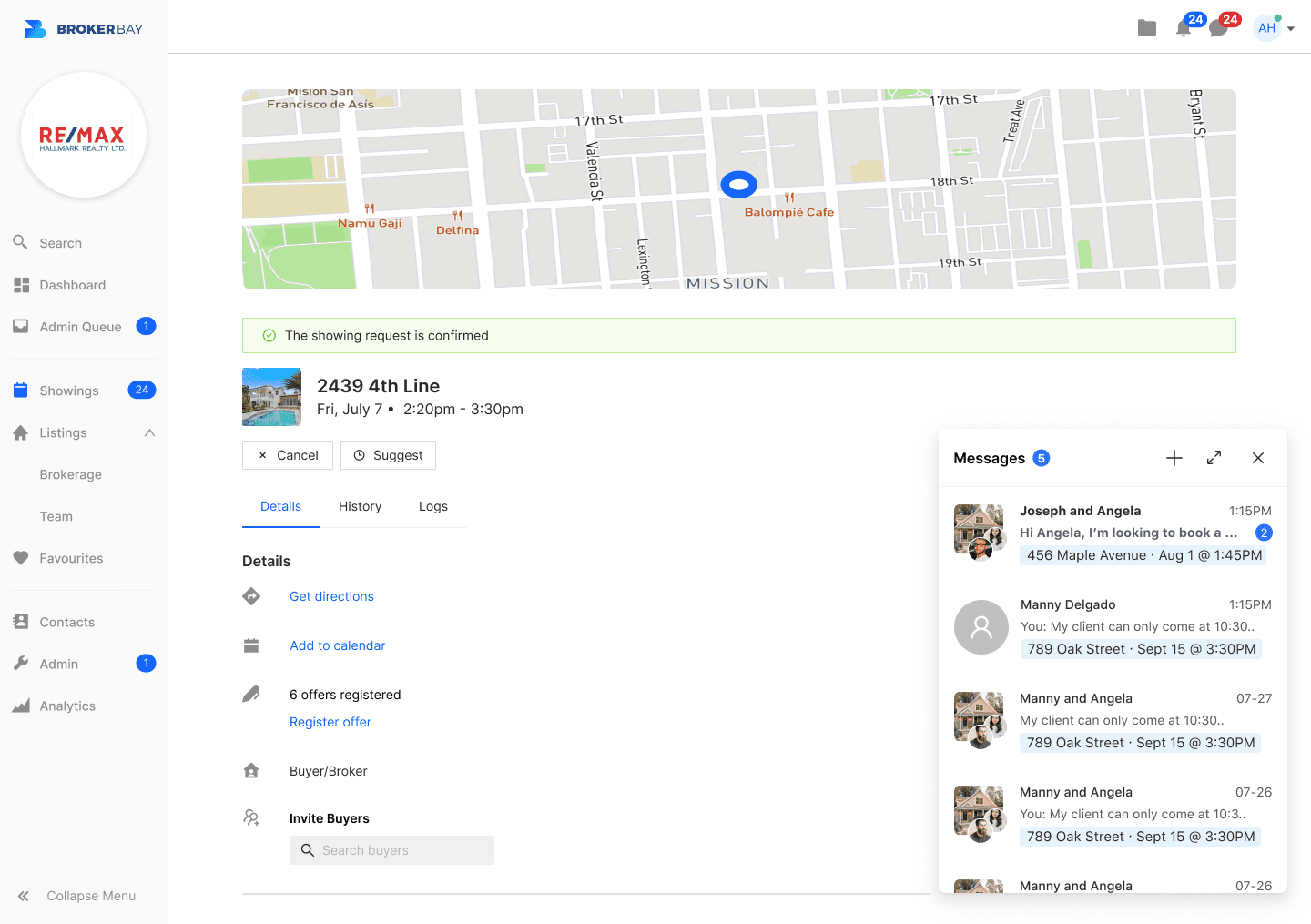
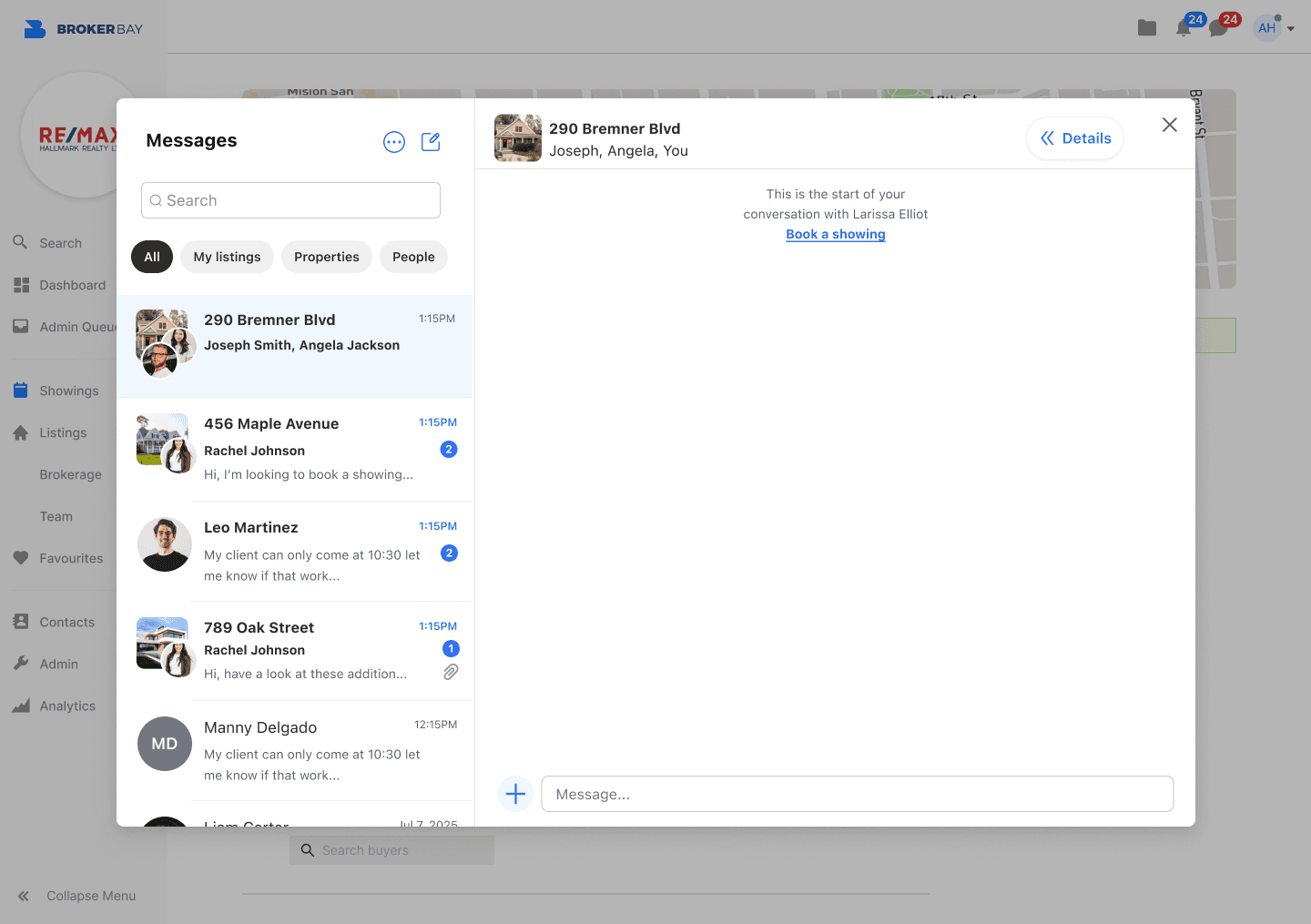
We had a mini chat that is accessible on every screen. In the new centralized chat, the mini chat will be updated with the new UI with the option to expand into a full page. Customers liked the accessibility of this but internally the team felt it might not be useful if we have a centralized chat page. To reduce development time, I decided that the full page was not needed. If the chat FAB is selected, it will open up the chat as a modal.

The centralized chat modal

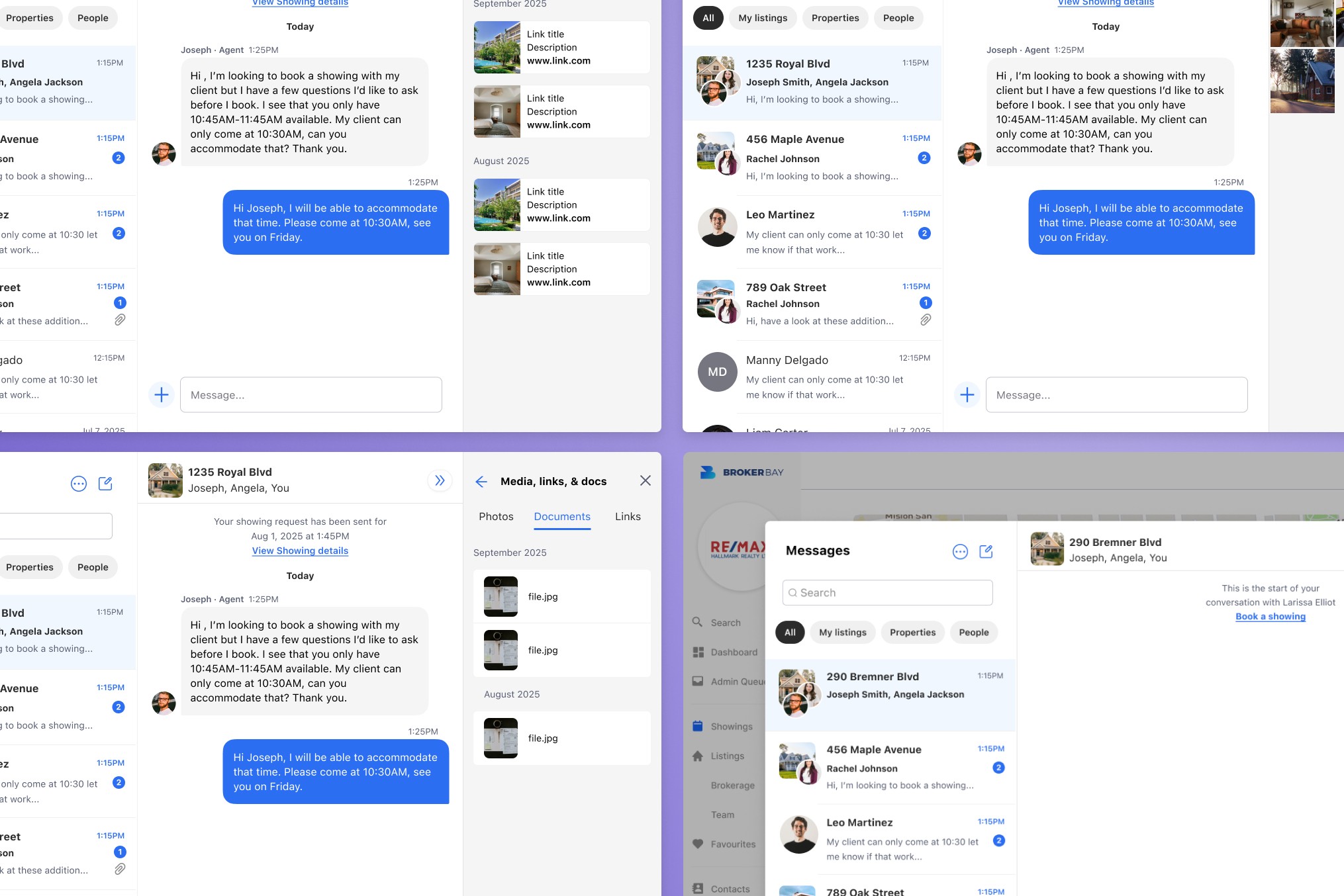
Centralized chat is now organized by listing address. I added filter pills to easily filter the list by buyer showings, listing showings, or general chat. The chat details is housed to the right and it shows the showing request, agent information and gives access to media sent.

Making messaging contextual

If an agent is on the listing details or showing request page, the FAB becomes "Message Agent" and automatically creates a new chat with the agent with the address as the header. The existing chat will open up if there is already one created. This was something the users loved since it saved them time.

Learnings and Impact

The power of the voice of customer (VOC)

Sometimes it takes a ton of escalating for a team to lean out their process. It wasn't pretty, we were on the hot seat with Vancouver, but this is when the team came together, collaborated with the users, and found a solution that can give the users what they wanted in a short time-frame, without overloading our developers. We were in the process of figuring out how we can use VOC in our day to day process and this was a great example, to our internal teams, of how it should be done, and if done right, how the results will be in our favour. And of course, building a good rapport with our customer is always a win because now we have a partnership.

Anita Ngo

2026

Anita Ngo

2026